

Affiliate disclosure: This article contains affiliate links to Semrush. If you sign up through them, Creaitz may earn a commission at no extra cost to you.
Your blog explains how to price freelance work.
The reader finishes, opens a spreadsheet and searches for a pricing template somewhere else.
You answered the question. Another website helped them do the work.
That gap is worth examining—whether you run a digital-skills community, a marketing agency or a personal brand.
Your most useful article may contain the starting point for a resource people return to use.
A destination website gives visitors a clear reason to arrive, complete a useful task and return. You can develop that value by examining what your audience needs to do after reading your content.
Is Google really favouring “destination” websites?
Google’s published guidance asks whether your website serves an intended audience, helps visitors achieve their goals and offers something worth bookmarking or recommending.
Use those questions to assess your website’s usefulness. When a competitor gains visibility, investigate the wider context before attributing the change to a calculator, community or service.
Start with this question:
What would someone deliberately visit your website to use?
Find the task hiding inside your content
Start with a recurring reader problem rather than a fashionable feature.
A person reading about freelance pricing may need to prepare a quote. Someone researching marketing careers may need to compare skills against real job requirements. A creator exploring sponsorships may need to organise their media kit.
Match the article to a useful next step:
| Reader’s question | Resource worth testing |
| How should I price this project? | An editable project-scoping worksheet |
| Am I ready to apply for this role? | A skills checklist with evidence requirements |
| What should go in my media kit? | An annotated example and editable template |
| How do I brief a designer? | A structured brief builder or downloadable form |
Choose one idea that matches a recurring audience need, then check whether it reduces the effort involved in completing that task.
Use competitors to investigate
Before building anything, examine what already serves that audience.
In Semrush’s Organic Rankings, review relevant competitors’ keywords, position changes and top pages. The report estimates organic traffic using Google ranking data. Open the relevant pages to examine their content, resources and functionality.
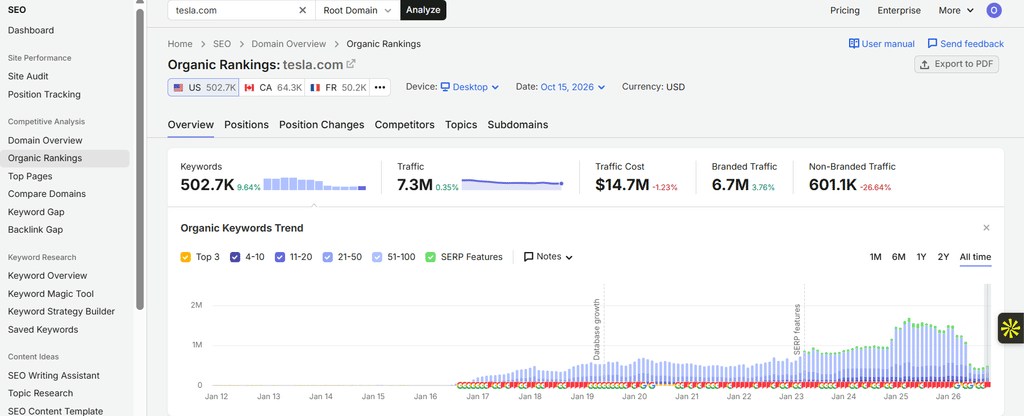
Open the pages themselves. Ask:
- Is the useful part an article, template, directory or interactive tool?
- Can visitors complete a task without searching elsewhere?
- Are examples and instructions specific enough to use?
- What remains frustrating, confusing or unnecessarily complicated?
Use Keyword Gap to identify organic ranking differences between your website and relevant competitors.
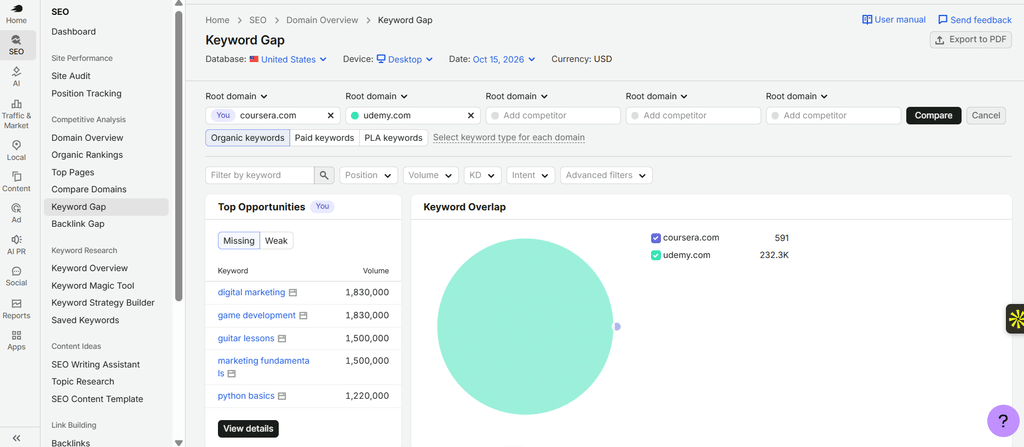
Investigate the questions behind those terms, then validate their importance through customer enquiries, feedback or user testing.
Build the smallest genuinely useful version
Test the idea in a format you can build and maintain with your current resources.
For the freelance-pricing example, begin with a worksheet covering scope, estimated hours, revisions, expenses and payment milestones. Explain its assumptions and limitations. Avoid presenting suggested figures as universal market rates.
Ask a few intended users to apply it to a realistic project.
Where do they hesitate? Which fields require explanation? Does the worksheet help them produce a clearer quote?
Improve those points before adding logins, automation or a dashboard with fourteen tabs.
Keep essential guidance accessible on the page. Requiring an email address before visitors can understand the resource’s value may create unnecessary friction.
Our content strategy guide explains how to connect audience needs, content formats and maintenance responsibilities.
Connect the resource to the right articles
Do not leave your useful resource stranded in the navigation.
Link to it where readers encounter the problem it solves. A pricing article can introduce the scoping worksheet after explaining how deliverables affect a quote.
The resource page should also work independently. Explain who it is for, how to use it, its limitations and when it was last reviewed.
If visitors need to complete a form or use interactive controls, our agentic browsing guide covers labels, layout stability and clear completion messages.
Use Site Audit to check supporting technical issues such as broken internal links and crawlability problems, then repeat the audit after changes.
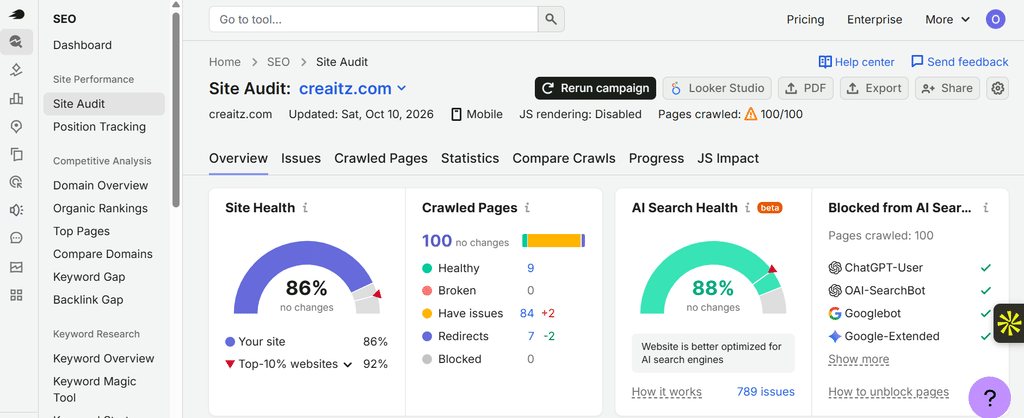
Review How Visitors Use Your Destination Website
Choose one meaningful action before launch, such as completing a worksheet, downloading a template or submitting a properly scoped enquiry.
Review that action alongside user feedback and relevant search performance. Ask whether visitors understood the instructions, completed the task and found the result useful.
If you are responding to a core-update decline, document your changes and allow time to review their effects. Our guide to investigating a Google update traffic drop explains the checks to make before broader website changes.
You can try Semrush One free for seven days to investigate competing pages and relevant search opportunities—a little reconnaissance before your next build.
Give Visitors a Reason to Return
Start with one recurring task and build a resource that helps someone complete it. Explain its purpose, provide clear instructions and connect it to the articles where readers need it.
Test the resource with intended users, fix points of confusion and assign responsibility for keeping it current.
Your destination website can grow through these useful additions. Each one should help visitors accomplish something specific and give you evidence for deciding what to improve next.
