
“Anyone can publish 1,000 pages in a weekend. Getting Google to keep 100 of them is the real job.”
The tools you pick decide which side of that line you land on.
Here is the short answer. The best programmatic SEO tools in 2026 are Ahrefs for keyword research, Airtable for your data, SEOmatic, WP All Import or Whalesync + Webflow for publishing, Zapier for automation, Screaming Frog for quality control, and AirOps once you outgrow spreadsheets.
Pick one tool per job, start small, and you can build a working stack on free tiers before spending a dime.
Below, you’ll find what each tool does best, what it costs, where it falls short, and which combination fits your setup.
What are the best programmatic SEO tools in 2026?
The best programmatic SEO tools in 2026 cover five jobs: finding keyword patterns, organizing data, publishing pages, automating the workflow, and auditing quality. No single tool does all five well, so most teams combine two to four.
Here is the quick view before we go deep:
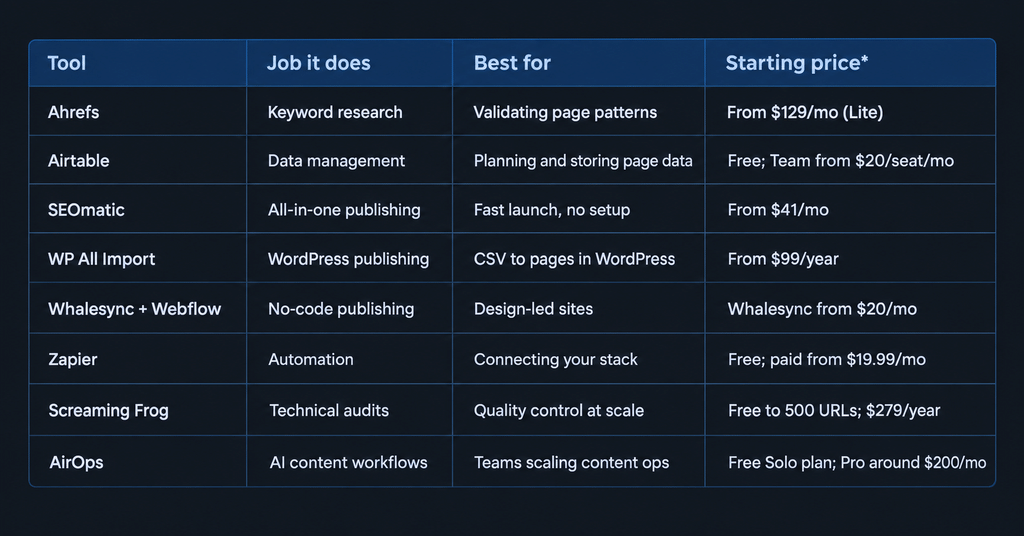
Prices reflect the latest publicly listed plans we reviewed. They change often, so confirm on each vendor’s site before you buy.
If you only remember one thing from this table, remember this: a good pSEO stack is a pipeline. Research feeds data, data feeds a template, the template feeds your CMS, and an audit keeps all of it honest.
How to choose programmatic SEO tools
Choose programmatic SEO tools by matching them to your workflow stage, your CMS, your page volume, your team’s skill level, and your budget. Skip any tool that doesn’t solve a problem you actually have today.
Use these five filters:
- Workflow stage. Are you stuck on keyword research, data, publishing, or quality control? Buy for the bottleneck, not the feature list.
- CMS compatibility. WP All Import only works on WordPress. Whalesync’s connector is built for Webflow. SEOmatic supports several CMS platforms, including WordPress, Webflow, Shopify and Framer.
- Page volume. Free tiers run out fast. Airtable’s free plan caps at 1,000 records per base, and Whalesync’s Starter plan syncs only 500 records.
- Skill level. Ahrefs and Screaming Frog reward people who already know SEO. SEOmatic and WP All Import are friendlier to beginners.
- Budget. Count the second subscription. Webflow plus Whalesync means two bills, not one.
A useful rule: if a tool can’t tell you how it handles unique data per page, keep looking. That single point decides whether your pages rank or get filtered, and we’ll come back to it.
You Might Be Interested: AI Overviews for Branded Queries
The best programmatic SEO tools in 2026
The tools below are grouped by the job they do in your pSEO pipeline. Each entry shows what it’s best for, how it works in practice, its limits, and who should pick it.
1. Ahrefs: best for keyword research and opportunity validation
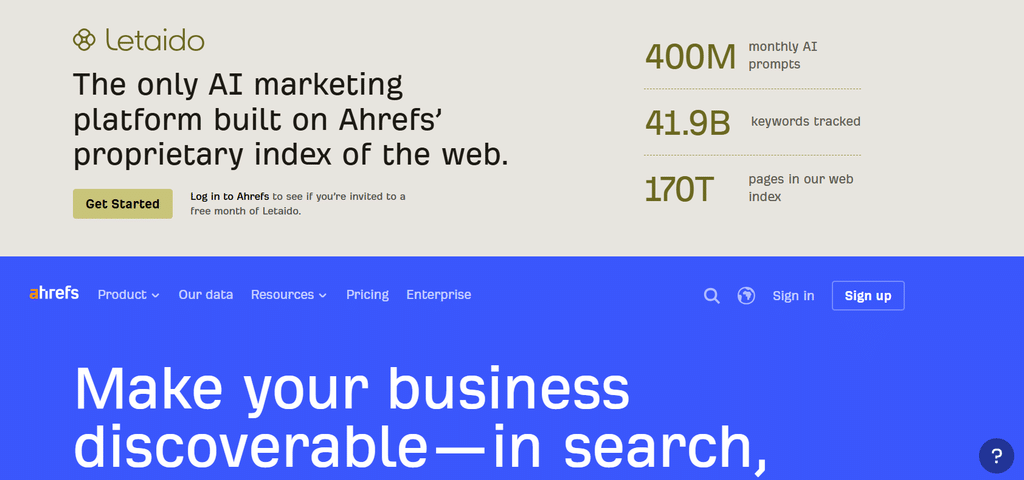
Ahrefs is the most reliable place to find and validate the keyword patterns your pages will be built on. You can’t scale pages around queries nobody searches, and Ahrefs shows you volume, difficulty, and what already ranks.
How to use it for pSEO: Start with a head term and its modifiers, such as “[tool] alternatives,” “[service] in [city]” or “[product] for [industry].” Use Keywords Explorer to pull the variations, then check the SERP to see what format Google rewards for them.
- Pros: Large keyword database, strong clustering and intent features on higher plans, and a Site Audit for checking pages after launch.
- Cons: No free plan for keyword research, a steeper learning curve for beginners, and no publishing features.
- Pricing: Starts at $29/month for the entry plan, with the Lite plan at $129/month.
- Pick it if: You need proof of demand before you build anything.
2. Airtable: best for data management and page planning
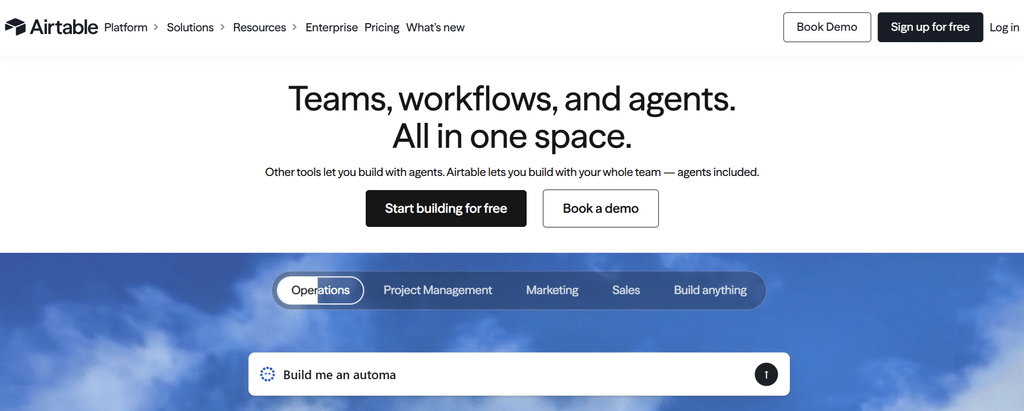
Airtable is where most programmatic SEO projects start. Every row in your base should map to exactly one page, which makes it a clean planning layer for keywords, titles, meta descriptions, attributes, and locations.
How to use it for pSEO: Build one table per page type. Add columns for your variables, a status column (draft, reviewed, approved), and a column for your unique data point. Only approved rows move forward to publishing.
- Pros: Easy to learn, flexible views, and a free plan with up to five editors.
- Cons: It is not a CMS, so you still need a publishing tool. The free plan stops at 1,000 records, and very large bases can slow down.
- Pricing: Free to start. The Team plan is $20 per seat per month billed annually.
- Pick it if: You’re starting a pSEO project and need one source of truth.
3. SEOmatic: best all-in-one programmatic SEO platform
SEOmatic combines keyword research, AI content generation, page creation and publishing in one platform. It suits teams that want to launch quickly without wiring together five tools.
How to use it for pSEO: Upload a CSV, build a template with variables, add AI prompts for body copy, then drip-publish to your CMS. Drip publishing releases pages gradually, which helps crawlers keep up.
- Pros: Fastest time to launch, no automation setup, and it supports WordPress, Webflow, Shopify, Ghost, Wix, and Framer.
- Cons: Less design freedom than a custom build, and AI-written pages need human review, or they read as generic.
- Pricing: The Launch plan is $99/month billed monthly (yearly billing saves two months), with 1 site, 3 seats, and up to 3M AI credits per month. A 14-day trial costs $1.
- Pick it if: You want one tool, one login, and a quick first batch.
4. WP All Import: best for WordPress page generation

WP All Import turns a CSV, XML or Google Sheets file into published WordPress pages using drag-and-drop field mapping. If your site already runs on WordPress, it is one of the most dependable ways to publish at scale.
How to use it for pSEO: Map each spreadsheet column to a WordPress field or custom field, import a small test batch, then schedule recurring imports so pages update when your data changes.
- Pros: No code required, supports custom post types, and gives you control over what updates on re-import. Licenses cover unlimited sites.
- Cons: WordPress only, you design the template separately, and very large imports can strain shared hosting.
- Pricing: Standalone import starts at $99/year.
- Pick it if: You’re on WordPress and want full control over templates.
5. Whalesync + Webflow: best for no-code, design-led publishing
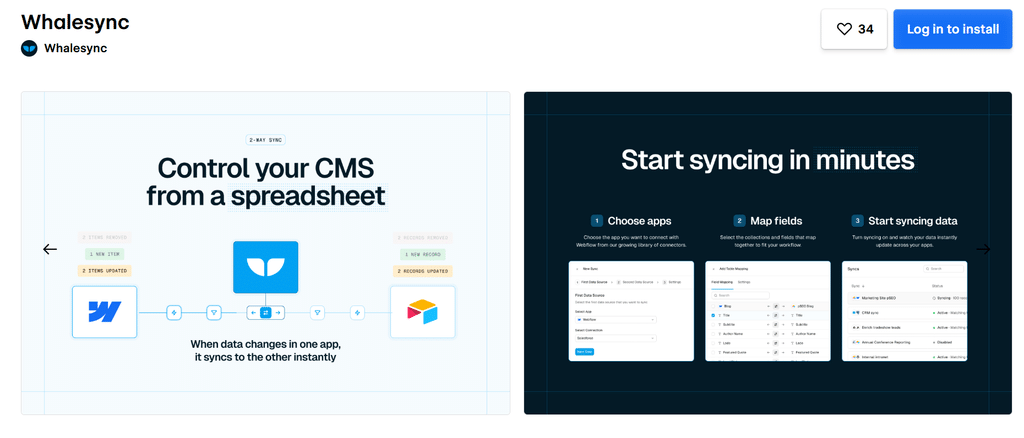
Webflow gives you design control that most WordPress setups need extra work to match, and Whalesync keeps your data source and Webflow CMS in sync both ways. Together they let you publish good-looking pages straight from a spreadsheet or database.
How to use it for pSEO: Build one collection template in Webflow, connect Airtable, Notion or Google Sheets through Whalesync, and sync only the records marked approved.
- Pros: Polished pages, flexible data sources, and automatic handling of API limits.
- Cons: Two subscriptions, plus record limits on both sides. Webflow’s CMS plans cap how many collection items you can hold.
- Pricing: Whalesync Starter is $20/month; Webflow CMS plans are billed separately.
- Pick it if: Page design matters as much as page count.
6. Zapier: best for workflow automation

Zapier is the glue between your tools. It connects your data source to your CMS, your CMS to your team’s chat, and your publishing steps to your review process.
How to use it for pSEO: Trigger a Zap when a row’s status changes to “approved,” create a draft page, then notify your editor to check it before it goes live.
- Pros: No code, thousands of integrations, and filters that stop incomplete pages from publishing.
- Cons: Costs climb with volume, free Zaps check for new data every 15 minutes, and complex Zaps are hard to debug.
- Pricing: Free for 100 tasks a month; paid plans start at $19.99/month billed annually.
- Pick it if: You’re tired of copying data between tools by hand.
7. Screaming Frog: best for technical audits and quality control
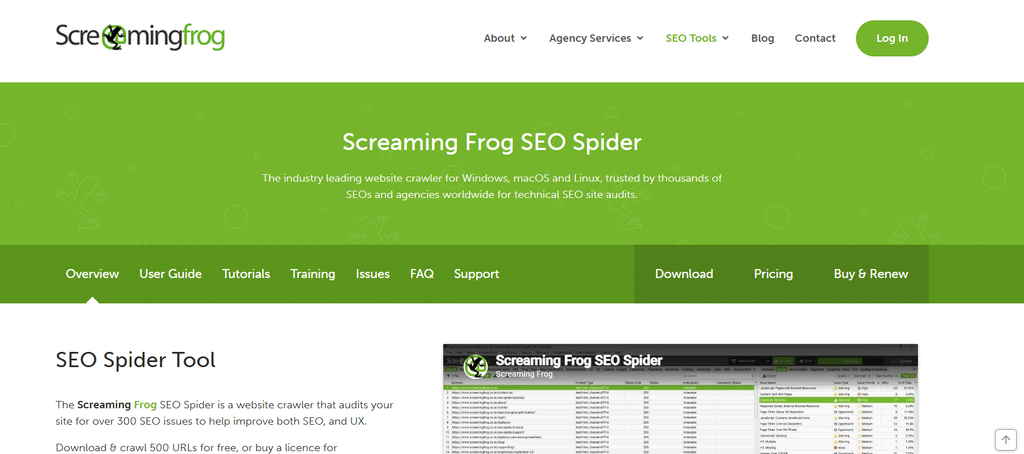
Screaming Frog crawls your site and flags the problems that quietly kill pSEO projects: duplicate titles, thin pages, broken internal links, and orphan pages. Run it after every batch you publish.
How to use it for pSEO: Use custom extraction to pull each page’s H1, word count, and structured data. If a template variable breaks, you’ll see the same error repeated across hundreds of URLs.
- Pros: Industry standard, free for up to 500 URLs, and highly configurable.
- Cons: Runs on your desktop, so speed depends on your machine. The interface is dense for beginners, and it can’t publish or write anything.
- Pricing: Free up to 500 URLs; the paid license is £245/year.
- Pick it if: You want to catch template bugs before Google does.
See Also: Building a GEO Content Strategy
Which programmatic SEO tools fit your situation?
The right programmatic SEO tools depend on your CMS, budget, and team size, not on which tool is most popular. Match your situation to one of the stacks below and adjust from there.
- The lean WordPress stack: Ahrefs (or a free keyword source to start) + Airtable + WP All Import + Screaming Frog. Best for solo marketers and small teams who want control without developers.
- The design-first Webflow stack: Ahrefs + Airtable + Whalesync + Webflow + Screaming Frog. Best when brand and layout quality matter.
- The fast launch stack: SEOmatic + Screaming Frog. Best for testing an idea in days, not weeks.
- The scale-up stack: Ahrefs + Airtable + AirOps + Zapier + Screaming Frog. Best for teams running multiple page sets with reviewers in the loop.
Whatever you choose, add a human review step. Tools produce pages. Only people decide if those pages are worth keeping.
Also worth reading: An AI Content Audit for Your Growing Article Library
How to build your programmatic SEO stack, step by step
Building a programmatic SEO stack follows six steps: validate keywords, structure data, design a template, publish, handle indexing, then audit. Skipping the order is the most common reason projects stall.
- Validate the pattern. Look for repeatable structures with real search volume. If only a handful of variations get searched, programmatic SEO is the wrong approach.
- Source and structure your data. Each row maps to one page. Missing fields and duplicates will show up as broken pages on your live site.
- Design one strong template. Decide what stays fixed (layout, calls to action) and what changes (data, copy, meta tags). Build internal links into the template from day one.
- Connect and publish a test batch. Start with 20 to 50 pages, not 2,000.
- Handle indexing. Submit through Google Search Console, keep your XML sitemap current, and consider IndexNow. Publish in batches of 50 to 100 so you can watch indexing rates before scaling.
- Audit and monitor. Crawl with Screaming Frog, then track which page types earn impressions and which sit unindexed. Double down on the winners.
More From This Topic: GEO vs SEO Testing: Should You Celebrate the Citation
Why Google may not keep your programmatic pages
Google filters programmatic pages that exist mainly to capture rankings rather than help users. Its spam policies call this scaled content abuse, and it applies whether the pages are written by humans, automation, or AI.
The warning has come from inside Google too. Search advocate John Mueller has called programmatic SEO “often a fancy banner for spam.” The accusation is fair when pages are thin, but it isn’t a verdict on the method.
The companies that get it right share one trait: each page carries data a visitor can’t get elsewhere. Wise’s currency converter pages run on live exchange rates. Zapier’s integration pages describe real app connections. Nomad List builds city pages from cost-of-living and internet-speed data. The template is the easy part; the dataset is what earns the page its place.
Avoid these mistakes:
- Thin content: a title, two sentences, and a button won’t get indexed.
- No unique data per page: swapping a city name in identical text is the classic filter trigger.
- Publishing everything at once: it overloads crawlers and hides problems.
- Skipping review: one broken variable can break hundreds of pages.
- Ignoring internal links: pages nobody links to are hard for Google and users to find.
Do programmatic SEO pages show up in AI Overviews?
Programmatic pages can appear in AI Overviews, but only when they answer a question clearly and carry facts the AI can trust. Pages built purely to match keyword variations rarely qualify.
This matters because long-tail queries are exactly what programmatic SEO targets, and they are also the queries AI answers increasingly handle directly. To stay visible, write a direct answer at the top of each template, use clear headings, add structured data, and keep facts fresh with a visible “last updated” signal. Our guide on how to optimize for AI Overviews covers this in detail.
In short, programmatic SEO in 2026 rewards the same thing as the rest of search: usefulness.
Conclusion
The best programmatic SEO tools aren’t the most expensive or the most feature-packed. They’re the ones that fit your CMS, your data, and your team.
Start with one page pattern, a clean dataset, and a small test batch. Use Ahrefs to validate, Airtable to organize, a publishing tool to build, Zapier to connect, and Screaming Frog to check your work. Then scale only what proves itself.
Tools make pages cheap. Unique data, clear answers, and human judgment make them worth keeping.
Are you ready to build pages Google actually keeps?
Programmatic SEO is a powerful lever, but only when the stack, the data, and the quality checks work together.
If you want practical breakdowns like this, honest tool comparisons and strategies that help your content get noticed in 2026 and beyond, join the Creaitz community.
You’ll get advice, updates, and actionable tips to help you scale faster.
FAQs
What are the best programmatic SEO tools?
The best programmatic SEO tools in 2026 are Ahrefs for keyword research, Airtable for data, SEOmatic, WP All Import or Whalesync + Webflow for publishing, Zapier for automation, Screaming Frog for audits, and AirOps for scaling content workflows. Most teams combine two to four of them.
What are the best programmatic SEO tools for beginners?
SEOmatic, WP All Import, and Airtable are the most beginner-friendly. SEOmatic handles research, content, and publishing in one place, WP All Import needs no code, and Airtable’s free plan is enough for a first project.
Can I do programmatic SEO without a developer?
Yes. Tools like WP All Import, Whalesync, SEOmatic, and Zapier are built for non-technical users. A developer can speed up template setup, but they aren’t required.
Is programmatic SEO safe for my rankings?
It is safe when every page is useful, unique, and matched to real search intent. The risk comes from thin or duplicate pages published at scale. Review a sample before each batch.
How many pages should I publish first?
Start with 20 to 50 pages, check indexing and impressions, then scale in batches of 50 to 100.
Are there free programmatic SEO tools?
Yes. Airtable and Zapier offer free plans, and Screaming Frog is free for up to 500 URLs. Keyword research is the hardest part to do for free, since Ahrefs has no free keyword plan.
Do I need AI to do programmatic SEO?
No. Programmatic SEO existed long before AI writing tools. AI can speed up drafts, but unique data and human review matter more than the writing engine.
